ThisDay Free
iPhone and iPad
$0
Free, for good
- Tasks, with repeats and reminders
- Days, from a single day out to the year
- Export everything, any time
Ask what is left this week or how a habit is going. Say what is coming up in one sentence, and the tasks and events come back sorted.
SiriAI reads your days, not the internet, and shows the items and a chart under its answer.
Auto sort gives each capture a day, a category and a kind, and shows you the plan before anything moves.
It runs on Apple Intelligence on your iPhone, where it is available. No server of mine sits in between.
Days and the ruler. Slide one ruler from a day to a few, the week, the month or the whole year. Tap any day to come back into it.
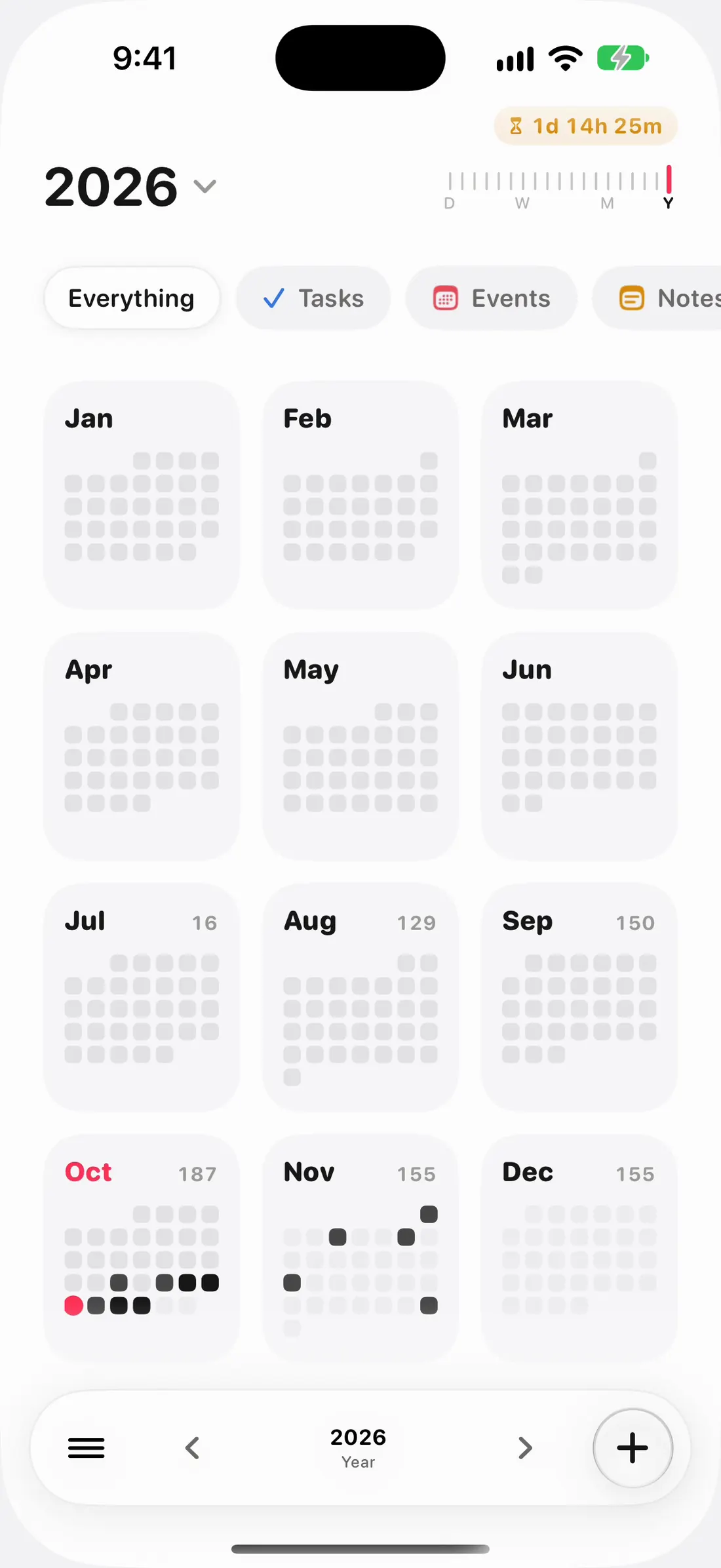
Today, the week and the month are one place now. One ruler at the top takes you out to the year and back into any day.
Everything on today, in the order it happens.
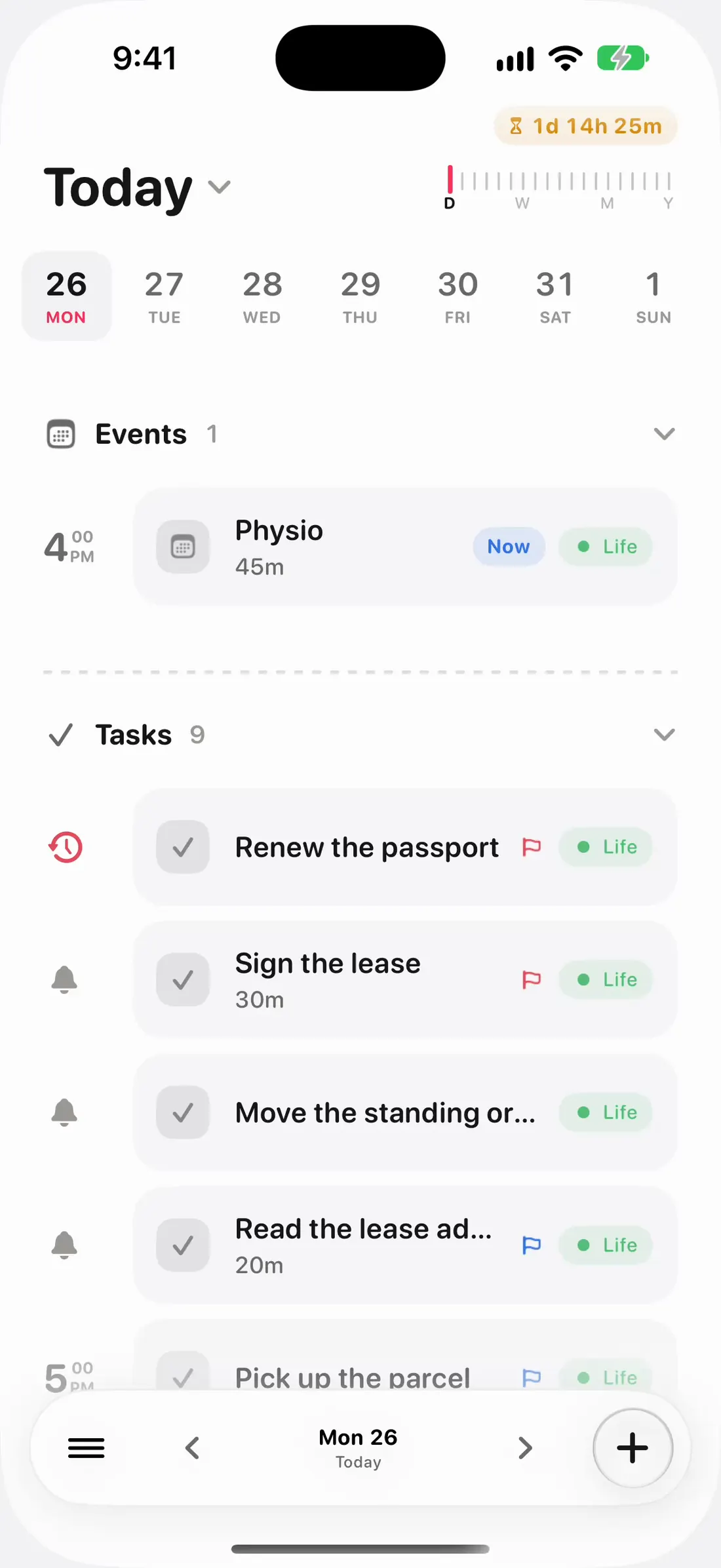
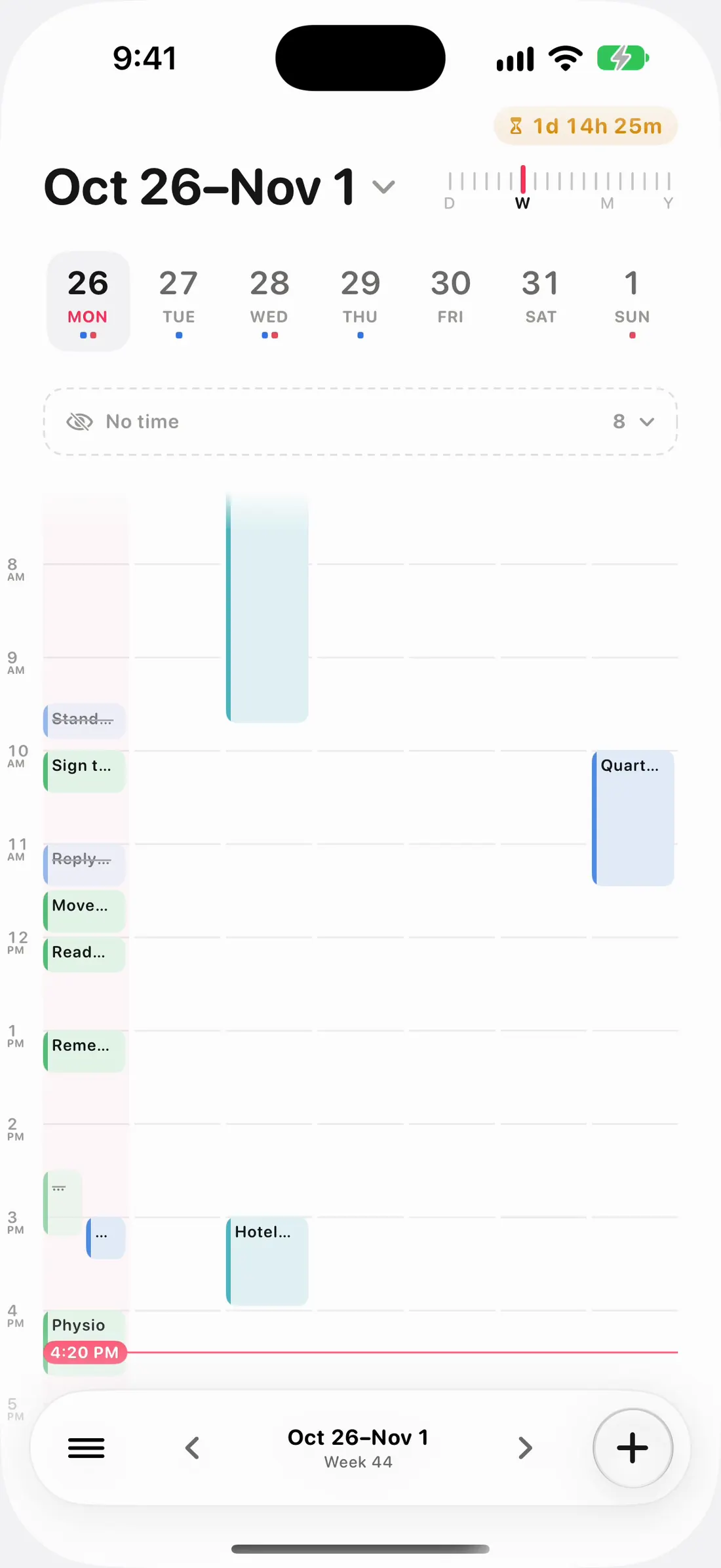
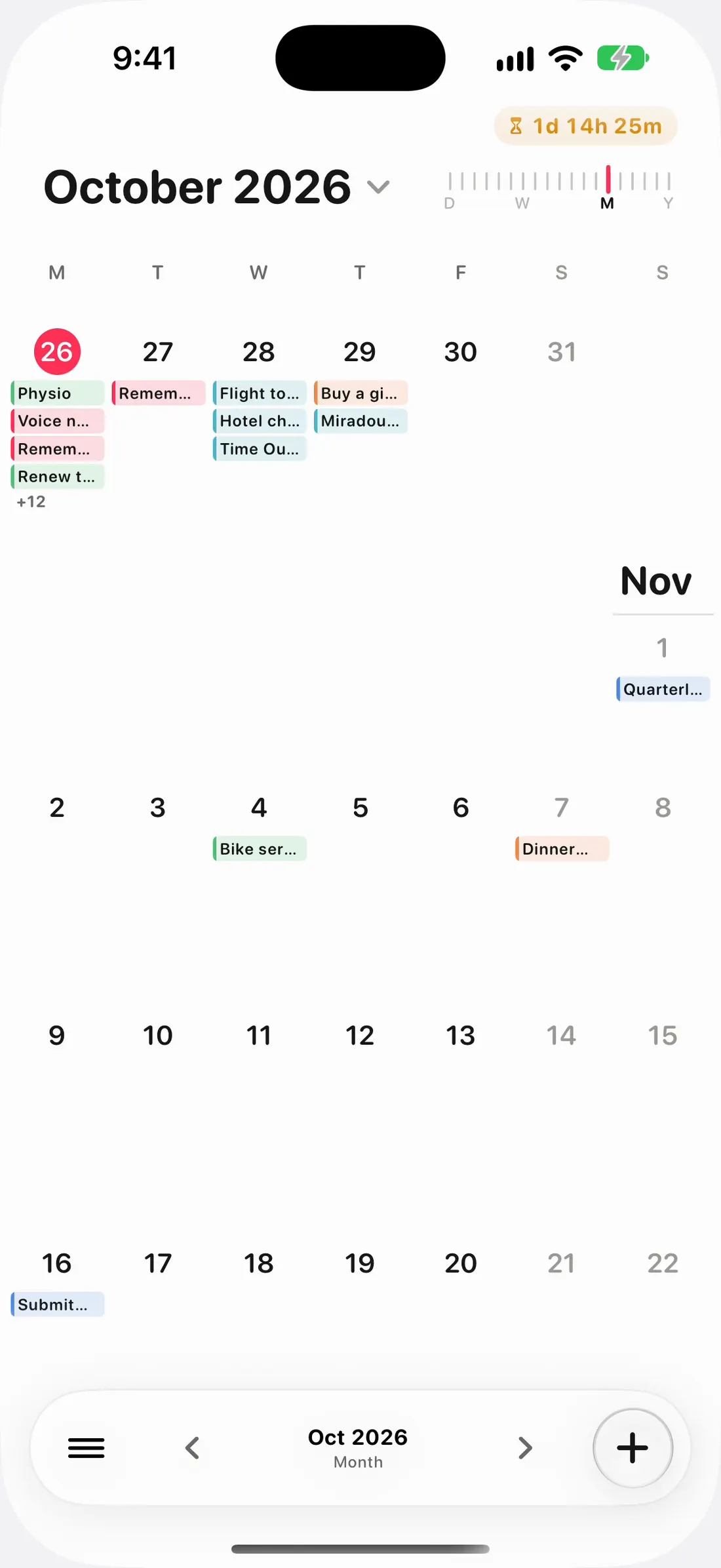
Today, the week and the month are one place now. One ruler at the top takes you out to the year and back into any day.
Everything on today, in the order it happens.
Seven days side by side, so a busy Thursday shows before you get there.
Every day of the month and what fills it, at a glance.
Twelve months, a dot for each busy day. Tap any day to go back into it.
Everything is open for 21 days. After that your tasks stay free for good, and ThisDay Pro unlocks the rest, once.
iPhone and iPad
$0
Free, for good
iPhone, iPad and Apple Watch
$14.99
One purchase, no subscription
Mac
$34.99
One purchase, no subscription
$24.99 if you already own ThisDay Pro
US prices. The App Store shows yours in your own currency.
ThisDay is a daily planner for iPhone, iPad, Apple Watch and Mac where tasks, events, notes, voice memos, photos, habits and places all live on one timeline, the day, and any of them can carry a reminder.
A redesign from top to bottom. Days puts every day on one screen, from a single day out to the year. A Library keeps your notes, voice notes, photos, places and countdowns. Search reaches everything, SiriAI answers questions about your days, habits show their streaks, and the icons are drawn for ThisDay. On the Mac, ThisDay 3.0 adds MCP for AI agents and quick add from any app.
Two things. Everything can remind you, including voice memos, photos and notes, which Apple’s own apps cannot do. And habits can track themselves from Apple Health, so a run your watch recorded ticks the habit for you.
Yes. It comes with the iPhone app, in the same purchase: your day, your habits, the calendar, the Inbox and quick capture by dictation, plus complications for the watch face and the Smart Stack.
Yes. It is the same app as on iPhone, one download and one purchase, with a sidebar layout made for the bigger screen.
Yes, in every pose. Closed, the + and the menu stand in the camera column. Open, the sidebar stays beside your day and item pages spread over two columns. Folded like a book, nothing sits on the crease.
Yes. Any category can be shared with a link. Everyone in it sees and edits the tasks, events, notes and habits filed there, in their own Today and Calendar. Sharing runs through iCloud, so nobody needs an account with me.
Yes. Point a habit at steps, sleep, exercise minutes, active energy, the Watch’s three rings, or a workout type, set your goal, and ThisDay ticks it off when Health confirms it. Reading is on-device and read-only, and your manual tick always wins.
ThisDay is free to download, with every feature open for 21 days. After that your tasks stay free for good, and ThisDay Pro unlocks everything else with one purchase that covers iPhone, iPad and Apple Watch. There is no subscription. The Mac app is a separate one-time purchase.
No. There is no sign-up, no login and no server. Data stays on your device and syncs through your own iCloud between iPhone, iPad, Apple Watch and Mac.
Yes. A real Mac app with keyboard shortcuts, a command palette and undo, sharing the same data over iCloud. It is in the same App Store listing as the iPhone app, with a 3-day trial and its own one-time purchase.