Getting started
Install ThisDay, find your way round the Day Bar, and add the first things to your day.
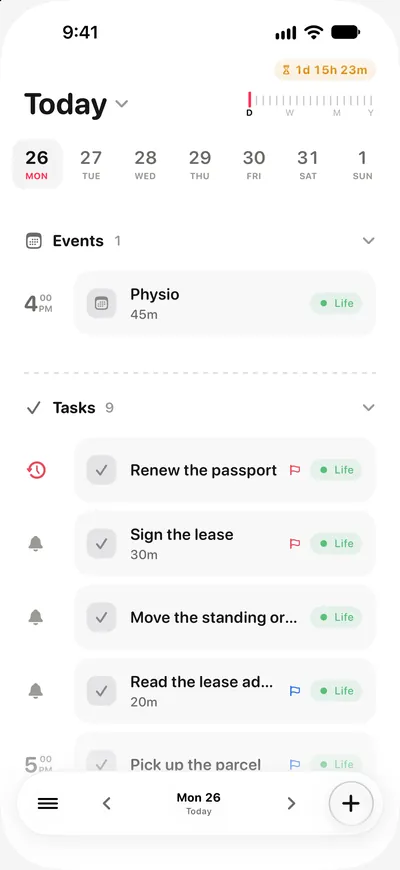
ThisDay is a daily planner. Everything you keep (tasks, events, notes, voice notes, pictures, habits and places to go) sits on one timeline for the day it belongs to, and anything can carry a reminder. There is no account to make: open it and start.
Install it
ThisDay is one listing on the App Store for iPhone, iPad, Apple Watch and Mac. On iPhone and iPad it needs iOS or iPadOS 18 or later. The Apple Watch app installs from the iPhone app. The Mac app needs macOS 15 or later and is its own purchase, with its own trial. See Free, Pro and purchases.
The first minute
The first time you open ThisDay it shows a short introduction, then a tour that points at the three things you use most: the Day Bar, the + and the zoom ruler. You can skip either one.
The Day Bar
The bar floating at the bottom of the screen is the Day Bar. It holds the menu on one side, the day you are looking at in the middle and the + on the other side.
- Change day: use the arrows, or swipe across the date.
- Add something: tap + to add a task. Hold + to pick another kind: an event, a note, a voice note or a picture. Where Apple Intelligence is available, holding + talks to SiriAI instead, so you can ask about your day or say what to add.
- Search or jump anywhere: pull down at the top of any screen.
If you would rather choose the kind every time, Settings has a switch that makes a tap on + open the list of kinds.
Add your first things
- Tap + and type a task. Give it a time if you want to be reminded.
- Hold + for an event with a start and an end, or a note.
- Open the menu and go to Habits to add something you want to do every day.
Unfinished tasks are not left behind on the day they were planned for. They move to today, so the day in front of you is always the one with your work on it.
Where to go next
- Days and the zoom ruler for the calendar.
- Items and their kinds for what each kind of item can do.
- iCloud sync to have the same day on every device.