Inbox and Library
The Inbox catches what has no day yet. The Library keeps notes, voice notes, pictures, places, countdowns and medals.
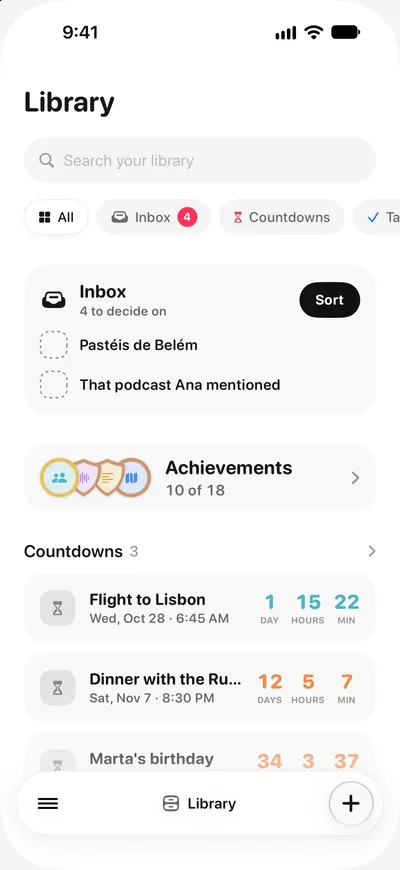
Not everything belongs to a day. The Inbox and the Library are where those things live.
The Inbox
Anything you capture without a day lands in the Inbox until you sort it. Swipe an item right to give it today, or left to leave it for later. Give it a day and it goes to that day.
Auto sort
Where Apple Intelligence is available, Auto sort reads each Inbox item and puts it on the day its words name, with a category and a kind, or keeps it in the Library. You see the whole plan before anything moves, and one Undo takes all of it back. The model runs on your device.
The Library
The Library keeps what you collect, by kind, each on a shelf of its own:
- Tasks you keep for later, with no day
- Notes and voice notes
- Pictures and videos
- Places to go
- Countdowns to your events
- Your medals
- The Logbook, with everything you finished
Open a shelf to see all of it. A shelf you never use can be hidden.
Moving things in and out
Give a Library item a day and it moves onto that day. Take the day off an item and it goes back to the Library. Nothing is lost on the way.