Widgets, Apple Watch and Live Activities
The widgets, the Apple Watch app and its complications, and Live Activities on the Lock Screen.
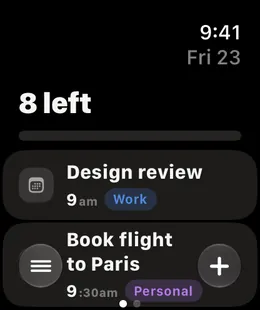
Your day reaches past the app: onto the Home Screen, the Lock Screen and your wrist.
Widgets
ThisDay has widgets for Today, Calendar, Inbox, Habits, Moments, Polaroids and Countdown. Tasks and habits can be ticked straight from the widget. Habit widgets show each habit's streak, and the Countdown widget shows your nearest countdowns.
To add one, touch and hold the Home Screen, tap Edit, then Add Widget, and choose ThisDay.
Apple Watch
The Apple Watch app is included with the iPhone app, the same purchase. It has:
- Today and your habits
- A seven-day calendar
- The Inbox, and capture by dictation
- Your countdowns
- Complications for the watch face and the Smart Stack
It installs from the iPhone app: open the Watch app on your iPhone, find ThisDay and tap Install.
Live Activities
An item with a time can show on the Lock Screen and in the Dynamic Island, from 15 minutes before it starts until it ends. You can tick a task off right there.
A widget looks out of date
Widgets refresh on their own shortly after a change. If one stays behind, open ThisDay once; that asks every widget to draw again.