Habits and Apple Health
Habits with streaks that can tick themselves from steps, sleep, workouts and the Apple Watch rings.
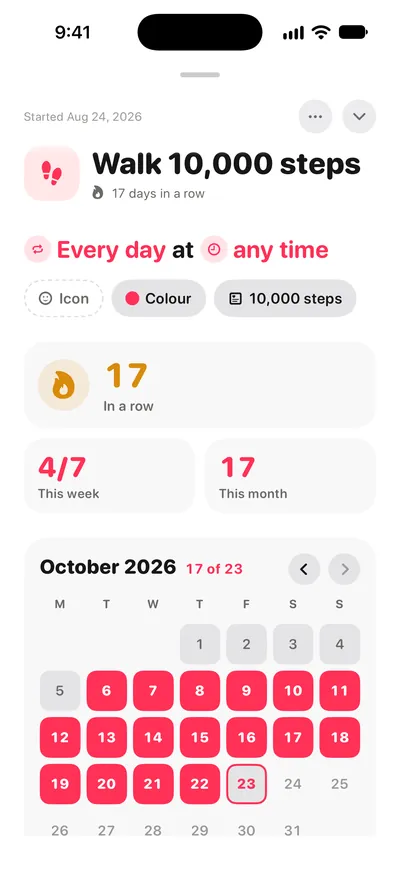
A habit is something you mean to do again and again. It shows on the days it is due, and its streak, the number of times in a row you have done it, shows on its row, in the Habits list, on its page and on the widgets.
Ticked by Apple Health
A habit can be linked to Apple Health, and then it ticks itself when the goal is met. It can follow:
- Steps
- Sleep
- Exercise minutes
- Active energy
- The Apple Watch's three rings
- A type of workout
To link one, open the habit, choose Auto-track Health and pick what it follows and the goal.
What ThisDay reads
Health data is read on your device, read-only, and only for the habits you link. ThisDay never writes to Health and never sends Health data anywhere. If a linked habit does not tick, check what ThisDay is allowed to read in the Health app, under Sharing, Apps.
Your tick wins
A manual tick always wins. If you did the thing and Health did not see it, tick it yourself.
On iPad and Mac
Apple Health is not on iPad or Mac, so there a habit can only be ticked by hand. Ticks from your iPhone arrive through iCloud sync.