How I plan a day: time blocks and rollover
The ten minutes I spend each morning planning, how I block time for the work that matters, and what happens to the tasks I do not finish.
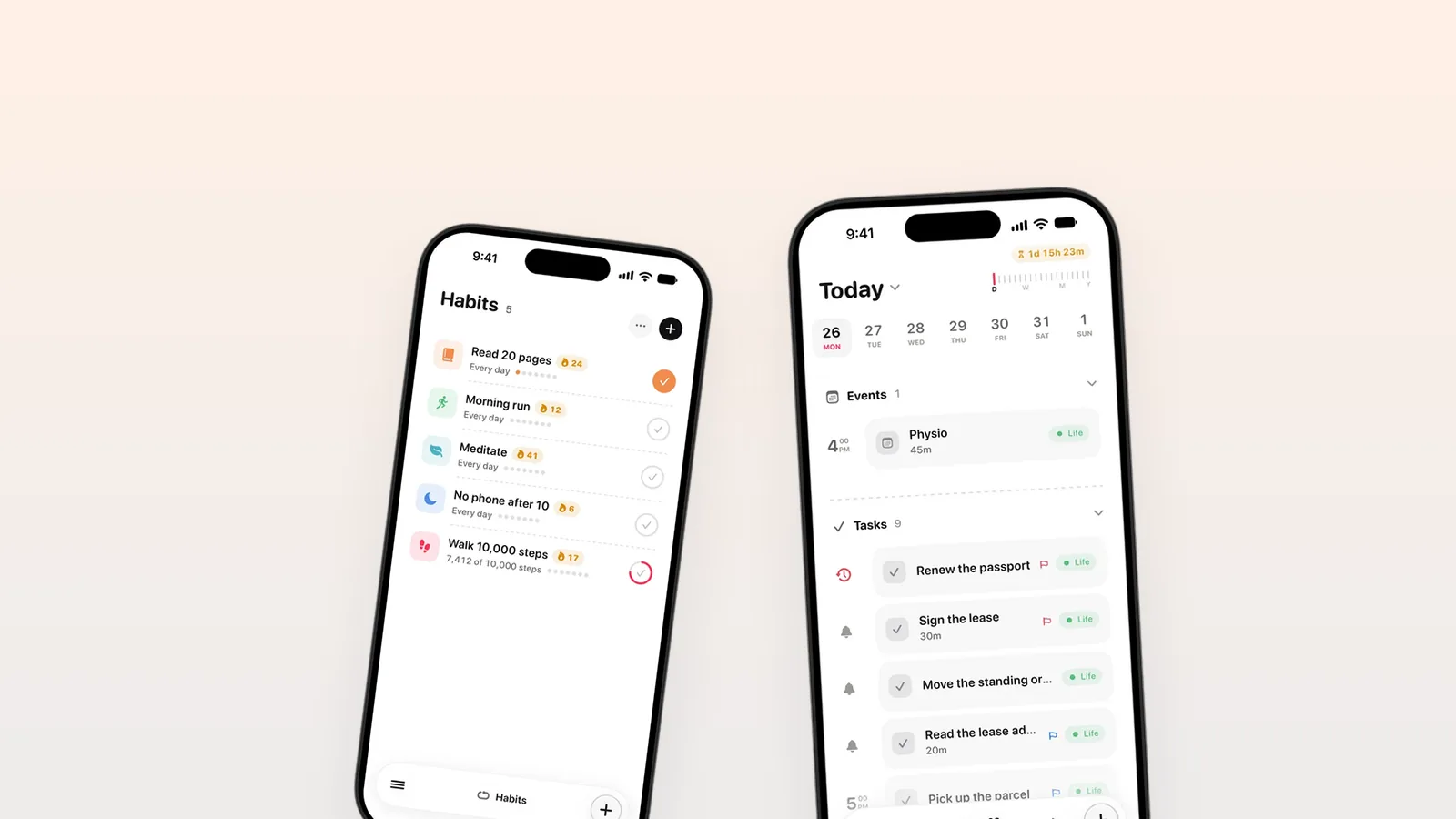
I plan my day in about ten minutes each morning, in ThisDay. I look at what rolled over from yesterday, give the two or three tasks that matter most a real time on the day, leave the small ones untimed, and let reminders carry the rest. When the day ends, whatever I did not finish rolls over, and I decide about it tomorrow.
The ten minutes
I make ThisDay on my own, so my days are a mix of design, code, email, App Store work and life. Without a plan, the urgent eats the important by ten in the morning. This is the routine that stops it.
- Open today. The first thing I see is what rolled over from yesterday, with my meetings already in place from my calendar.
- Decide about the leftovers. Each one gets done today, moved to a better day, or deleted. No task gets to roll over three days in a row without a decision.
- Pick the two or three that matter. These are the tasks that make the day a good day even if nothing else gets done.
- Give them a time. That is the time block. A task with a time sits at that time on the timeline and reminds me when it arrives.
- Leave the rest untimed. Small tasks stay on the day without a time, and I do them in the gaps.
Time blocks without a second app
Time blocking works because a task with a time competes with your meetings for the same hours. You cannot plan six hours of deep work on a day with four hours of calls, and you see that the moment you try.
In ThisDay the timed tasks, my events and the calendars I connected are on one timeline. I do not keep a calendar for blocks and a list for tasks. When a block is done I tick it, and it goes to the Logbook.
Reminders on everything, used sparingly
Any item in ThisDay can remind me: a task, an event, a note, even a voice note or a photo. That is useful and dangerous. If everything rings, nothing does.
My rule: a reminder for anything with a fixed time (a call, leaving for the airport), for the time blocks, and for the one thing I would be annoyed to forget. Everything else lives quietly on the day.
Habits on the side
A few things I want to do every day are habits, not tasks: walking, reading, no phone after ten. Some of them tick themselves from Apple Health, like steps and sleep. The streak is the quiet nudge; I do not set reminders for habits.
Rollover is the safety net
Days go wrong. A call runs long, a bug turns up, a friend needs help. When that happens I do not replan the afternoon. I let the day be what it was. Unfinished tasks roll over to tomorrow, and tomorrow's ten minutes decide about them.
That is what makes planning in days sustainable for me. A bad day does not leave a mess in the past; it hands its leftovers to the next morning. I wrote about why I plan in days at all in Plan in days, not backlogs.
My day, in numbers
| Part of the plan | How many | Has a time? | Reminds me? |
|---|---|---|---|
| Tasks that matter | 2 or 3 | Yes | Yes |
| Small tasks | 5 to 10 | No | No |
| Meetings and events | Whatever the calendar says | Yes | Yes |
| Habits | 4 | No | No, Health ticks some |
Questions
How long should planning a day take?
Ten minutes is enough for me, and I would be suspicious of a routine that takes much longer. Look at what rolled over, decide about each leftover, pick two or three tasks that matter, give them times, and start. The plan is a tool for the day, not the work itself.
What is time blocking?
Time blocking means giving a task a specific time on your day, as if it were a meeting with yourself. It makes you plan against the hours you actually have. In ThisDay you do it by giving a task a time; it sits on the timeline beside your events and reminds you when it starts.
What happens to tasks I do not finish in ThisDay?
They roll over to today. Unfinished tasks do not stay behind on the day they were planned for, so you never have to go looking for them in the past. Each morning you see them and decide: do it today, move it to another day, or delete it.
Can habits tick themselves?
Yes. In ThisDay a habit can follow Apple Health, such as steps, sleep, exercise minutes, active energy, the Apple Watch rings or a workout type, and it ticks itself when the goal is met. Health data is read on your device, read-only, and a manual tick always wins.